HAIR U: AI Haircut Scanner
- 4.3
- Rating
- 100.00K
- Installs
- Free
- Price

 Analysis by App-foxy
I tried HAIR U: AI Haircut Scanner with a simple question in mind: can it make choosing a haircut less of a guess? The app takes a beauty decision that is usually based on saved photos, a rushed conversation with a barber, or a vague description and turns it into a quick phone-based check. Its promise is straightforward: help you understand how a haircut may suit you before you commit.
That makes the app interesting for anyone who regularly changes their hairstyle, feels unsure when showing reference pictures, or wants a faster way to narrow down options. It is not a replacement for a skilled stylist, and I would not treat an AI preview as a guaranteed prediction. Still, as a first step before a salon visit, it can be useful when approached with realistic expectations.
How I used the scanner as a haircut starting point
The most practical workflow is to begin with a clear, ordinary photo rather than trying to create a dramatic transformation immediately. Good lighting and a visible view of the hair matter more than making the image look polished. I found it more helpful to start from a familiar appearance, then use the result as a comparison point instead of judging a single suggested style in isolation.
You May Also Like

 Blood Strike: 2.5 Anniversary
Blood Strike’s Loadouts Turn Every Drop Into a Tactical Gamble
A close look at Blood Strike’s custom loadouts: how fast access to signature weapons reshapes its battle royale rhythm, rewards preparation, and narrows the gap between fights.

 Pandora - Music & Podcasts
Pandora’s Music Is Easy to Start, but Harder to Recover
Pandora’s strength is its low-effort path from a seed to a station. Its weak spot is how much confidence it asks you to place in connection, setup, and quiet recovery.

 8 Ball Pool
 Is Built on Rivalries, Rematches, and Routine
A close look at the rivalries, rematches, shared routines, and unanswered safety questions that turn a quick pool match into a persistent mobile community.

 Samsung Music
’s Quiet Strength Is Playing What You Already Own
Its reach comes less from spectacle than from dependable access to a personal library. That simplicity is both the app’s strongest retention engine and its ceiling.

 AccuWeather: Weather Radar
AccuWeather Review: A Quick, Clear Forecast for Everyday Decisions
For everyday plans, the best forecast is the one you can understand quickly. AccuWeather makes rain timing, radar, and local conditions easy to act on, with a few trade-offs.

 Hill Climb Racing
Why Hill Climb Racing Still Turns Crashes Into One More Run
A tiny car, a bumpy hill and one more upgrade: Hill Climb Racing keeps resurfacing because its simple chaos makes every near-miss feel personal.
More From Our News Desk



That baseline is important because haircut decisions are rarely only about the cut. Hair length, texture, density, hairline, face shape, styling habits, and the amount of time someone wants to spend each morning all affect whether a look works in real life. A scanner can help organize the visual conversation, but it cannot fully understand how hair behaves after washing, sleeping, humidity, or a busy commute.
For example, imagine someone with a meeting on Friday who wants a noticeably shorter style but does not want to spend twenty minutes styling it every morning. The useful approach is not to pick the most impressive preview. I would compare a conservative option with a more noticeable change, then ask which one still looks manageable without the same preparation shown in the image. That turns the app into a decision aid rather than a fantasy generator.
The app is free to install, which makes this kind of experimentation easy to try without committing money at the beginning. It also carries an Everyone age rating, so its presentation is accessible to a broad audience. Optional purchases range from $0.99 to $99.99 per item, so I would pay attention to any purchase screen and avoid assuming that every part of the experience is included at no cost.
Why the first scan should be treated as a baseline
One of the better habits is to keep the first result as a reference. If you immediately change several things at once, it becomes difficult to tell whether the difference comes from the haircut idea, the image, the angle, or the way the hair is presented. A baseline gives you something stable to compare against when you revisit the app.
I also recommend taking the app’s suggestions to a barber or stylist as visual discussion material, not as an instruction sheet. A professional can translate an appealing image into something suitable for your actual hair. They can also explain which parts of the look require daily styling, which parts depend on length that cannot be achieved in one appointment, and which details need regular maintenance.
This is where the app has a clear strength over simply searching for haircut photos. A random image may show an attractive style on someone with completely different hair. A scanner gives the discussion a more personal starting point. It does not make the result exact, but it can help you move from “I want something different” to a more concrete direction.
Settings and preparation that make the result more useful
There is no benefit in making the process complicated before you have a clean starting image. I would first check the basic app controls and any available choices that affect how the scan is presented. The most valuable adjustment is usually the one that makes the comparison easier to read, not the one that produces the most dramatic visual change.
Use a photo where the hair is not hidden by a hat, heavy shadow, or an extreme head angle. If your hair is styled unusually for the picture, remember that the output may reflect that temporary arrangement. Someone with curls, waves, or thick hair should be especially cautious about interpreting a smooth-looking result as proof that the same shape will appear naturally.
A useful comparison method is to test one idea at a time. Start with the general length or silhouette you are considering. Then look at how the front, sides, and overall balance appear. If the app offers multiple presentation choices, resist the urge to judge them only by the most flattering preview. Ask whether the style matches your normal clothing, work setting, and willingness to maintain it.
The best setting is the one that improves comparison, not the one that hides uncertainty. That may sound obvious, but it is easy to prefer a polished preview even when it gives a less honest impression of what the haircut would demand. I would use the app to identify questions for a stylist: Is this length realistic for my current hair? Would the sides need frequent trimming? Would the top need product or heat styling?
Another practical tip is to save your own notes outside the app if you are comparing several ideas. Write down what you liked about each look, such as a softer outline, less bulk around the sides, or a shorter front. This prevents the decision from becoming a blur of similar images and makes the eventual salon conversation much clearer.
Faster ways to use it without losing judgment
Once the basic workflow feels familiar, the app works best as a quick filter. I would not spend a long session testing every possible look. Instead, choose a small group of realistic directions: keep the current length but change the shape, make a moderate reduction, or try a more decisive cut. The point is to narrow the field before asking a professional for detailed advice.
This is also where repeatable habits help. Use a similar photo setup when comparing different ideas, review results in the same lighting, and return to the baseline before making another change. Consistency makes the visual differences easier to interpret. Without it, you may mistake a brighter image or a different angle for a better haircut.
For someone preparing for a salon appointment, I would use the app the day before to create a short list of preferred directions. Bring the strongest reference and explain what you like about it rather than simply saying, “Make me look like this.” That distinction matters. The stylist can preserve the useful element while adapting the cut to your hair type and routine.
The same habit works for people who cut their hair at home, although the app should be used even more cautiously there. A preview may make a complicated shape look simple. In practice, creating clean transitions, matching both sides, and controlling the back of the head require skill and visibility that a phone preview cannot provide. It can help with choosing a general direction, but it does not turn a difficult cut into an easy one.
I also like the idea of using the app before a major appearance change, such as starting a new job or attending an event. The advantage is not certainty; it is reducing impulsive decisions. Seeing several plausible directions can make it easier to choose a moderate change rather than asking for something extreme because a single online photo looked appealing.
Where the AI approach reaches its limits
The main limitation is the difference between a visual suggestion and a physical haircut. Hair grows, falls, curls, separates, and reacts to products. A phone-based result cannot reproduce every detail of that behavior. It may also make a style appear more uniform than it will be when viewed from the side or back.
That matters most when the decision involves a major change. If you are considering a very short cut, a strong fringe, a sharp fade, or a style that depends on precise texture, use the result as a conversation starter. Ask a barber what would happen during the awkward growing-out stage, how often the shape would need refreshing, and whether your natural hair pattern supports the look.
The app is also not the right choice for someone seeking a fully personalized consultation. If your concern involves scalp conditions, hair loss, damage, or a sensitive hairline, a beauty scanner should not be treated as professional advice. In those situations, a qualified stylist or medical professional is a better source of guidance, depending on the issue.
Another trade-off is convenience versus depth. HAIR U: AI Haircut Scanner is appealing because it focuses on a fast answer, but speed means the result should not be mistaken for a detailed analysis of every factor that affects a haircut. People who already know exactly what they want may get more value from a trusted barber and a few carefully selected reference photos.
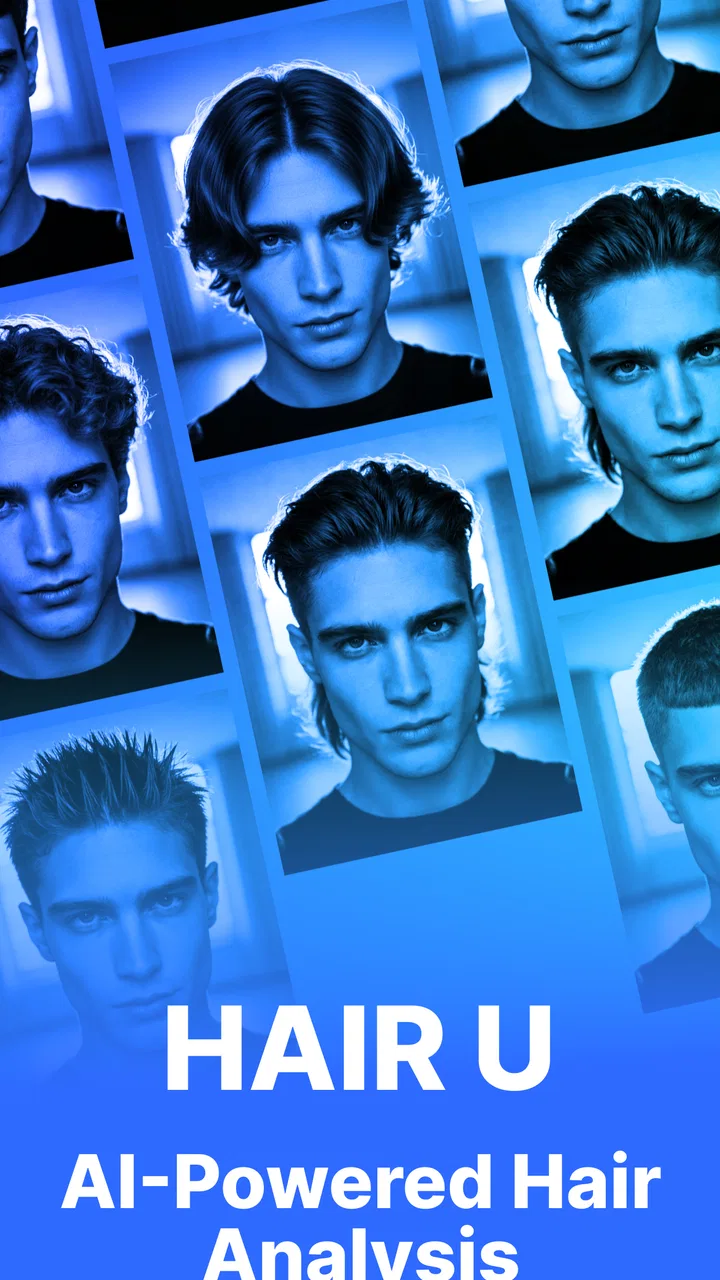
I would also be careful with expectations around the app’s short store message, “HAIR U.” The experience is best understood as a compact beauty tool rather than a complete hair-planning system. It can help you explore and communicate, but it does not remove the need to make a practical decision about maintenance, cost at the salon, or how the style fits your routine.
Who will get the most from the app
I think it suits curious users who want a quick visual starting point, especially people who struggle to describe a haircut in words. It is also useful for someone who has several saved inspirations but cannot decide which direction is closest to their current appearance. The free entry point lowers the barrier to trying that process.
It may be particularly helpful for a first-time style change. Instead of arriving at a salon with one rigid expectation, a user can arrive with a preferred option and a backup. That gives the stylist room to adapt the idea while keeping the conversation focused.
On the other hand, I would skip it if you expect exact results, need a professional diagnosis, or already have a stylist who understands your hair better than any image-based tool can. Users who dislike experimenting with photos may also find the process less valuable than a direct consultation. The app is most effective in the middle ground between uncertainty and a final decision.
What the current release says about its place in the category
Mavtao’s app currently sits in the beauty category with a 4.1 average from around 1.5 thousand ratings and more than 10 thousand installs. Those figures suggest that people are finding the concept appealing, while also reminding me that a growing app should be judged by how well it fits a real routine rather than by popularity alone.
The current version is 1.0.1, and the app runs on Android 8.0 or later. That makes it available to many users with older devices, although the quality of a camera-based experience can still depend on the phone itself, lighting, and how comfortably the screen displays the comparisons. I would keep the app updated when a new version appears, particularly because early releases can change as the developer improves the experience.
Compared with ordinary haircut searches, the advantage is personalization. Compared with an in-person consultation, the advantage is speed and privacy while exploring ideas. Compared with a general photo editor, its value is the haircut-focused purpose rather than broad image manipulation. None of those comparisons makes it universally better; they simply show where it belongs in a sensible workflow.
Because the app includes optional purchases, I would treat the free experience as a trial of the core idea and review the purchase details before unlocking anything. The wide range from $0.99 to $99.99 per item makes it especially important to understand what a purchase provides and whether it is useful for your specific decision. A quick haircut check should not become an automatic expense just because a preview looks attractive.
My verdict after using it as a decision tool
HAIR U: AI Haircut Scanner is most convincing when I use it for the first ten minutes of a haircut decision, not the last word. It helps turn vague inspiration into a few visual directions, and that can make a salon conversation less awkward and more productive. Its strongest feature is the habit it encourages: compare possibilities before making a change.
The experienced way to use it is simple: establish a realistic baseline, keep the image conditions consistent, test one change at a time, and carry the best result into a conversation with someone who can assess your actual hair. That workflow gets more value from the app than endlessly chasing a perfect preview.
My recommendation is therefore positive but measured. Try it if you want a fast, low-risk way to explore haircut ideas and you understand that AI visualization is guidance rather than a promise. Skip it when you need expert diagnosis or exact technical advice. For the right user, this free beauty app can make the uncertain part of choosing a haircut clearer, provided you keep your expectations grounded and let real hair—not only the screen—make the final decision.
FAQs for HAIR U: AI Haircut Scanner
01What is HAIR U: AI Haircut Scanner and how does it work?
HAIR U: AI Haircut Scanner is an innovative app designed to help users find the perfect hairstyle using advanced AI technology. By uploading a photo, the app analyzes your face shape and features to recommend hairstyles that suit you best. The AI feature provides personalized suggestions, making it easier to visualize potential new looks.
02Is HAIR U: AI Haircut Scanner free to use, or are there in-app purchases?
The app is free to download and offers basic features at no cost. However, for a more comprehensive experience, including access to a wider range of hairstyles and AI-powered recommendations, there are in-app purchases available. These premium features enhance user experience by providing more tailored hairstyle options.
03Can HAIR U: AI Haircut Scanner be used on all hair types and lengths?
Yes, HAIR U: AI Haircut Scanner is designed to accommodate a wide variety of hair types and lengths. Whether you have straight, curly, short, or long hair, the app’s AI technology can suggest suitable styles. It takes into account different textures and lengths to provide recommendations that are versatile and inclusive.
04How accurate are the hairstyle recommendations provided by HAIR U: AI Haircut Scanner?
The app utilizes advanced AI algorithms to provide recommendations that are highly accurate. While the suggestions are based on facial recognition and current trends, personal preferences should also be considered. Feedback from users indicates a high level of satisfaction with the app’s ability to match hairstyles to individual features.
05Is my personal data secure when using HAIR U: AI Haircut Scanner?
HAIR U: AI Haircut Scanner prioritizes user privacy and data security. The app employs encryption and secure data storage practices to ensure that your personal information and photos are kept safe. Users can review the app’s privacy policy to understand how data is handled and protected.
Pros
- AI accurately suggests hairstyles.
- Wide variety of styles to choose from.
- User-friendly interface.
- Fast image processing.
- Integrates with social media easily.
Cons
- Limited free features.
- Requires strong internet connection.
- Occasional ads interrupt flow.
- Some styles need in-app purchase.
- AI suggestions not always perfect.

HAIR U: AI Haircut Scanner
Gallery